BenQ Zowie U2-DW Wireless Gaming Mouse Review: Fit Comes First
The Zowie U2-DW is a strong pick for right-handed claw-grip players who want a light mouse, a charging dock, and simple controls. Its deep side curves are the key reason to buy it. Skip it if you need a broad, flat grip or lots of app-based settings.
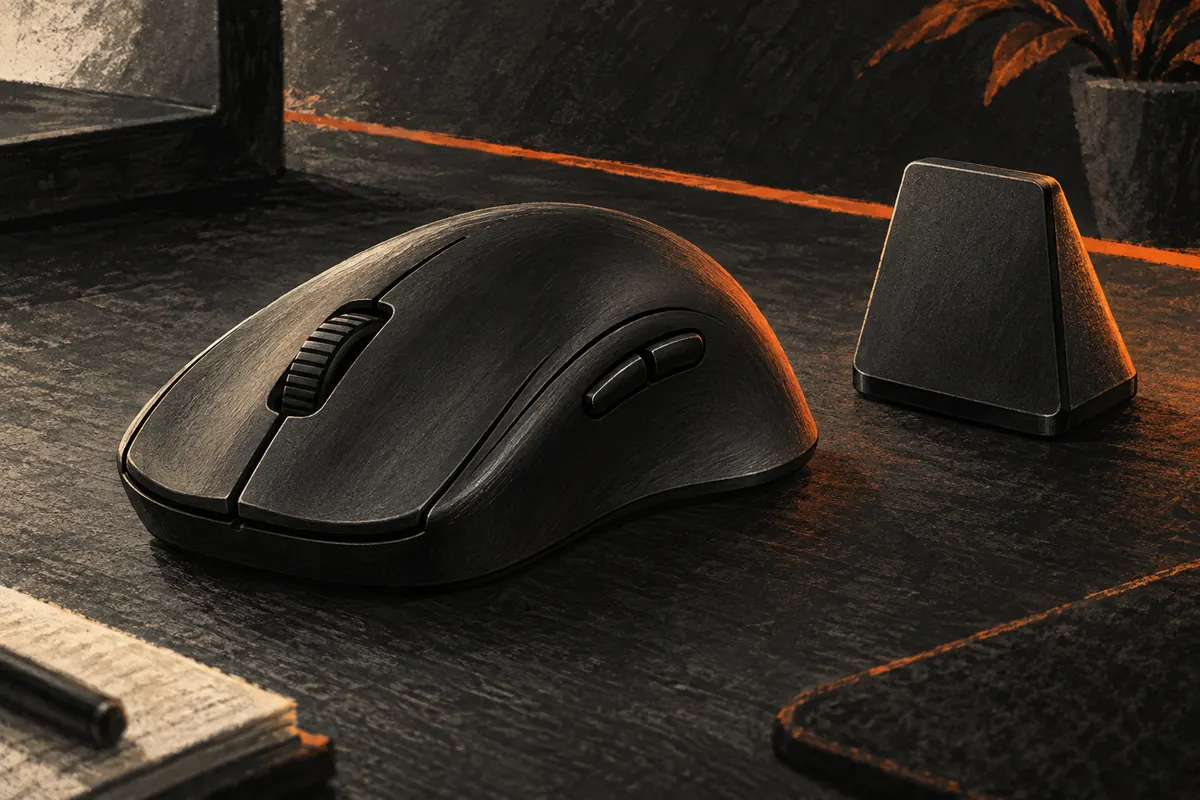
A mouse can have a fine sensor and still feel wrong in your hand. That is the main thing to know about the BenQ Zowie U2-DW. Its sides pull inward. Your thumb sits in one curve, and your fingers brace the other. It asks more of your grip than a plain oval shell.
I would buy this wireless gaming mouse for that shape first. The 4,000 Hz mode is a useful extra, but it cannot rescue a poor fit. Nor should you replace a mouse you like just to get a larger number on the box.
The Zowie U2-DW at a glance
| Detail | What you get |
|---|---|
| Main use | Right-handed claw grip |
| Listed weight | 60 g |
| Wireless link | 2.4 GHz |
| Top report rate | 4,000 Hz |
| Scroll wheel | 24-step optical wheel |
| Setup | Driverless controls |
| Charging | Dock or cable |
Those are BenQ Zowie's listed specs. My verdict is about which needs they suit. It is not a claim that a lighter shell will make every player faster.
BenQ Zowie U2-DW: pros and cons
| Strength | Tradeoff |
|---|---|
| Deep side curves give your grip a clear place to settle | Less freedom to move your thumb and fingers |
| Enhanced receiver doubles as a charging dock | Needs space and a cable on the desk |
| Built-in controls need no driver app | Fewer ways to save custom settings |
| Lower report rates extend battery life | 4,000 Hz drains the battery much faster |
My strongest reason to pick the BenQ Zowie U2-DW is the mix of a defined grip and plain controls. My strongest reason to pass is the same defined grip. Try the shape within a return window before you commit.
Inward-curved design: the best reason to choose the U2-DW
In a claw grip, your fingertips bend over the main buttons. Part of your palm may rest on the rear of the mouse. The Zowie U2-DW gives that grip clear places to settle. Its narrow middle is meant to help you hold and lift it.
Zowie classes this as a medium mouse with a symmetrical outline. It is still for the right hand: the thumb buttons sit on the left side. The black shell has a plain look, with no RGB light show. Its listed 60 g weight puts it in the lightweight class, but shape matters more than a few grams.
The left-side curve is meant to give the thumb a closer place to rest. The right-side curve gives the ring finger a place to brace. BenQ says this design helps balance grip force. I would treat that as a reason to try the shape, not proof that it will improve your aim.
That makes the U2-DW worth a close look if your current mouse slides around in your hand. If you tense your fingers to hold a broad shell, a deeper side curve could help. If you like to shift your hand freely, the same curve could get in your way.
Hand length alone will not settle this. Two people with the same hand size can hold a gaming mouse in very different ways. One may curl the ring finger. The other may lay it nearly straight. Their views of this shape can differ for good reason.
Check your thumb and ring finger
Rest your hand on your current mouse without trying to pose it. Note where your thumb sits. Then lift the mouse a few times as you would at the edge of the pad.
The question is simple: do you want more of a ledge to hold, or more space to move? The U2-DW makes more sense for the first need. A flatter shape is a better place to start for the second.
A detailed owner review describes the narrow waist and strong coating as useful for grip. The author received a review unit from Zowie. That account is helpful, but it is one person's fit.
There are also reports of discomfort with the curved sides. I would take both views seriously. A return window matters more here than a glowing verdict from someone whose grip you do not share.
Do not keep playing through pain to make a new mouse feel right. If the U2-DW forces your thumb into an awkward spot, try another shape.
Wireless performance and the enhanced receiver
The Zowie U2-DW comes with an enhanced wireless receiver. It sits on the desk near the mouse. The enhanced receiver also works as a charging dock, so the mouse has a set place to rest between sessions.
I like that idea for a fixed desk. It makes charging a small habit instead of a task you remember when the battery runs low. A dock is less useful if you pack up after every game or use a small table with little spare room.
BenQ says its directional enhanced wireless receiver helps limit wireless interference. Treat that as a design claim, not a promise to fix every hitch. A slow game, a busy CPU, or a poor network link can cause trouble that a mouse receiver cannot solve.
Wireless signal quality is just one part of smooth play. Frame drops can come from the PC itself. Better stability in a wireless link does not fix low frame rates in demanding games. If both the view and the pointer freeze, check the system's performance too.
Other mice use different receiver shapes. The major difference here is the desk dock and its direction. I would judge the U2-DW on whether the wireless link stays steady in my own room, with my own games and nearby devices.
Keep the enhanced receiver close to the play area with a clear path to the mouse. Do not bury it behind a metal PC case. If you have a problem, change one thing at a time. Move the receiver first, then check the USB port and game settings.
The box also includes a small USB wireless receiver, a USB Type-C adapter, a two-meter cable, and spare mouse skates. Keep the small receiver in a pouch if you travel. It is easy for tiny parts to vanish into a desk drawer.
For a portable setup, leave room in the budget for the computer itself. Our guide to gaming laptops under $1,000 explains where that money has the most value.
Battery life and polling rate: start at 1,000 Hz
The rated battery life changes a lot with the report rate. BenQ lists 80 hours at 1,000 Hz, 30 hours at 2,000 Hz, and 24 hours at 4,000 Hz. These are maker estimates, not hours I measured.
| Report rate | Rated battery life |
|---|---|
| 1,000 Hz | Up to 80 hours |
| 2,000 Hz | Up to 30 hours |
| 4,000 Hz | Up to 24 hours |
The mouse also supports 125 Hz and 500 Hz. Those lower rates can help when a game or older PC has trouble with a faster stream of input. A high-refresh screen may make small changes easier to spot, but it does not guarantee a gain from 4,000 Hz.
At 1,000 Hz, a mouse can report once each millisecond. At 4,000 Hz, that interval falls to a quarter of a millisecond. The shorter interval does not mean the whole game responds four times faster.
I would start the U2-DW at 1,000 Hz. Play the games you know, then try 2,000 Hz and 4,000 Hz. Keep the higher setting only if the game stays smooth and the change feels worth the extra charging.
Higher polling rates add work for the PC. That can matter more on a modest system or in older games. If mouse movement causes hitches, go back to a lower polling rate and compare again. Stable performance in your games is worth more than a setting you cannot use well.
Good battery life is useful even with a charging dock. It gives you room to forget a charge. The 1,000 Hz setting makes the Zowie U2-DW a less demanding desk companion than its headline rate might suggest.
If you play for short sessions and dock it each night, battery life may barely shape your choice. If you take the mouse away for a week, it should. Pack the cable either way.
Buttons and scroll wheel
The U2-DW keeps the main controls plain. Its two side buttons are for the thumb, and its scroll wheel has fixed steps. This suits games where a clear wheel step is more useful than a loose, free-spinning roll.
BenQ lists seven buttons in total. That does not mean seven thumb buttons or seven controls you can freely program in an app. The hardware settings and driverless design are part of this count and setup. If you want a bank of shortcuts for a game with many skills, choose a different layout.
The owner review linked above describes a firm wheel and raised side buttons. That is useful context if you bind jumps or weapon changes to scrolling. It does not prove every unit will feel the same.
Try both side buttons while holding your normal grip. Easier thumb access is useful only if the buttons stay clear of your thumb at rest. You should not need to twist your hand to reach the rear one. Also check that a firm squeeze does not press either button by mistake.
Think about scrolling in your most-played games. One wheel step may need to select one item, with no extra jump. Then try scrolling through a long page. Those two jobs can lead you to quite different views of wheel quality.
For web pages and long files, a stepped scroll wheel can be slower than a wheel built for fast scrolling. That tradeoff is fine for a gaming mouse, but worth thinking about if this will be your only mouse for work and play.
Driverless settings: plug and play without an app
The Zowie U2-DW lets you change key settings without installing a driver app. Its DPI steps are 400, 800, 1,000, 1,200, 1,600, and 3,200. It also has controls for report rate, lift-off distance, click response, and Motion Sync.
Lift-off distance controls when the sensor stops tracking as you raise the mouse. A low setting can help if you often lift and reset it on the pad. Click response time concerns the buttons, not the speed of the sensor. Keep those two settings separate when you check a missed click or a stray cursor move.
I prefer a simple setup when I switch PCs. There is less software to set up, and fewer background apps to manage. The cost is less room for custom profiles and unusual DPI values.
Choose a DPI step first. Then set the aim speed inside your game. Do not change both each time you miss a shot. A steady setup makes it easier to tell whether your grip, pad, or game settings need work.
Use the official U2-DW support page for the control steps. Guessing at button combinations is a poor way to set up a new mouse.
What comes in the box?
The enhanced receiver is the large desk unit. The USB wireless receiver is the small travel unit. Keep those two parts straight when you pack the U2-DW. The USB Type-C adapter is a separate piece, so check for it before throwing away the box.
BenQ Zowie includes Type E Black and White spare feet. Start with the stock skates before trying a different set. Mouse skates wear with use, but a scratchy pad can be the issue too. Wipe away dust before you spend money on new feet.
For a desk with only USB-C ports, check the cable ends and the included USB Type-C adapter before setting up. Leave the dock cable loose enough to sit flat. Do not put tension on the USB-C plug by stretching the cable to its limit. Seat each plug fully; a loose cable can look like a wireless fault.
Small checks before you buy
Keep the stock skates on at first. New mouse skates can change the glide, but they also add another variable while you learn the shape. Clean the pad before judging how fast or slow the U2-DW feels.
Look at your whole desk, too. A mouse cannot make up for an elbow that hangs off a high seat. Our budget gaming chair guide puts seat fit ahead of the racing-seat look.
Before paying, check the full kit, the seller's return terms, and the total price. For a used U2-DW, ask whether both receivers and the charging cable are included. A low price is less tempting if key parts are missing.
Common U2-DW questions
How does it compare with other Zowie mice?
Zowie mice come in different shapes and sizes. The U2-DW's inward-curved design is the key choice here. Do not assume two mice from the same brand will support your hand in the same way. Compare the overall curve and thumb placement before the feature list.
BenQ Zowie calls its shape work sports science. That does not prove one wireless gaming mouse is best for every player. Your thumb angle, grip pressure, and ease of movement still decide the fit. Other brands may suit you better.
Is the Zowie U2-DW good for all grip types?
No. BenQ Zowie aims the U2-DW at claw grip. Its inward-curved design may feel too fixed for a loose palm or fingertip hold. Your thumb angle and ring finger position matter more than the grip name alone.
Will the Zowie U2-DW improve my aim?
It may give you a shape that is easier to control. It cannot promise better aim. The U2-DW's curves can help with a mouse lift, but there is no single ergonomic design that fits every hand. Choose comfort before speed.
Can I change DPI settings without software?
Yes. The BenQ Zowie U2-DW uses built-in controls. This is handy on a shared PC where you cannot add software. The tradeoff is a fixed list of DPI settings. Choose a close step, then fine-tune sensitivity in each game.
Should I use the charging dock every day?
You do not need a daily charge if battery life still covers your play time. I would use the dock as the U2-DW's home when the desk is idle. If you leave the dock behind, bring the cable for wired charging.
Who should buy this wireless gaming mouse?
Buy the Zowie U2-DW if you use a right-handed claw grip, want a firm place for your fingers, and value simple setup. The desk receiver and dock add a useful touch for a PC that stays in one place.
Skip it if you need a left-handed layout, want a flat-sided shell, or rely on deep software controls. I would also keep a mouse that already fits well unless there is a clear problem to solve.
The BenQ Zowie U2-DW is most convincing as a shape choice. Get that part right, and its other features make sense. Get it wrong, and no polling-rate setting will make it your best mouse.