Best Gaming Headset: Five Picks for Clear Sound and Easy Chat
The SteelSeries Arctis Nova 5 is my first wireless pick for PC and PlayStation. It pairs a light design with long rated battery life and a useful phone app. Choose the HyperX Cloud III for a simple wired setup. Try the Audeze Maxwell 2 if sound matters most and you can accept its weight and price.
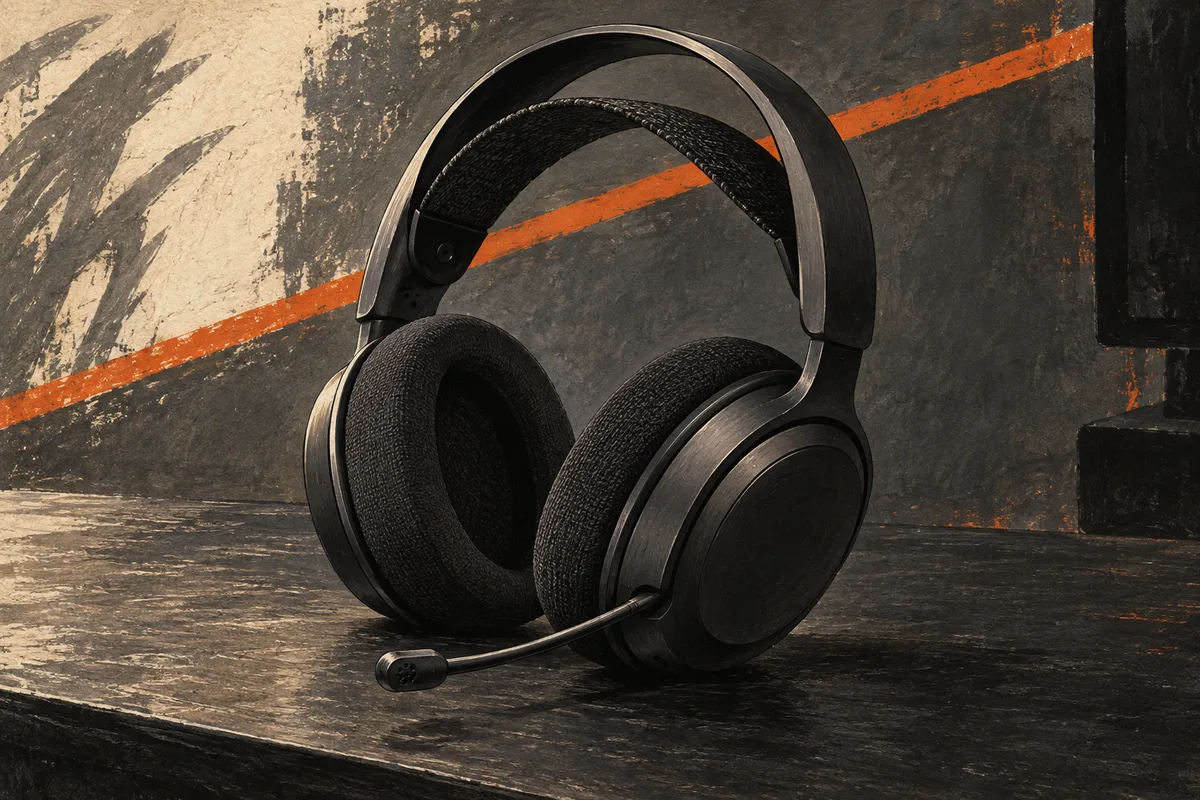
A headset has two jobs: let you hear the game and let your friends hear you. A long feature list does not help if the ear pads hurt or the mic picks up every key press.
I would choose the best gaming headset by platform first, fit second, and sound features third. That order saves money. It also avoids buying a wireless headset that works on your PC but will not connect to your console.
These five picks cover different needs. Two picks use a cable, and three are wireless. They range from a light budget model to a heavy premium headset. Pick the tradeoff you can live with.
The best gaming headsets at a glance
| Headset | Best reason to choose it |
|---|---|
| SteelSeries Arctis Nova 5 | Light wireless design and a phone app for game sound presets |
| HyperX Cloud III wired | One wired gaming headset with 3.5 mm and USB connections |
| Turtle Beach Stealth 600 Gen 3 | Long rated battery life and a flip-to-mute mic |
| Audeze Maxwell 2 | Large planar drivers and several ways to connect |
| Razer BlackShark V2 X, 3.5 mm | A light, plain wired headset with few extras to pay for |
Check the full name before ordering. A suffix can change the connection, mic, or supported console. The word Xbox on one version does not mean every headset in that family works with Xbox.
1. SteelSeries Arctis Nova 5: my first wireless pick
The Arctis Nova 5 gives you a simple way to leave the cable behind. The standard model works with PC and PlayStation. It also supports a range of USB-C and Bluetooth devices.
SteelSeries lists a weight of 265 g and rates battery life at up to 60 hours. That makes it an appealing place to start if you dislike a heavy gaming headset. You can adjust the head strap to change where the headset rests. Thick padding is not the only way to spread the load.
What I like about the design
A small USB-C dongle handles the game link. The retractable boom mic can tuck into the earcup when you do not need chat. There is no large base station to find room for on the desk.
The Arctis Companion app lets you change game audio presets from a phone. That is useful on a console, where a PC-only sound app would be less help. You can save a different sound profile for the wireless game link and Bluetooth.
I would start with a plain preset and change one thing at a time. A preset named after your game is a starting point. Try it to see if footsteps are easier to place.
Bluetooth switches rather than mixes
The Arctis Nova 5 uses Quick-Switch to move between its 2.4 GHz game link and Bluetooth. It does not blend the two sources at once. If you want phone chat over the top of console sound, that difference matters.
Think about a call that arrives during a match. Quick-Switch lets you move to the phone. It is not the same as keeping game sound and the phone call in your ears together.
Do not buy the Nova 5 on a vague claim of dual wireless alone. The best wireless gaming headset for your setup needs the right kind of links. Two names on the box do not tell the whole story.
Fit and console limits
In owner discussions of the Nova 5, some users like the comfort while others find the ear space tight or warm. I would check pad depth and the head strap early in the return window.
For Xbox, choose the Nova 5X version with explicit Xbox support. The standard Nova 5 linked here is not a substitute. The 5X is a version choice within this family, so check the selected model before paying.
I would skip the Nova 5 if simultaneous Bluetooth audio is essential. I would also skip it if you need a passive 3.5 mm cable as a backup. Its appeal is light wireless play, not every possible connection in one shell.
2. HyperX Cloud III: the simple wired choice
The HyperX Cloud III wired is my pick for someone who wants to sit down, plug in, and play. There is no headset battery to charge and no wireless receiver to misplace.
The wired model includes 3.5 mm, USB-C, and USB-A connection choices. It has a detachable boom mic and controls on the earcup. Be sure the listing says wired; similarly named wireless models have different features.
HyperX lists a weight of 0.67 pounds without the microphone and 0.70 pounds with it. That is about 304 g and 318 g. Memory foam sits in the headband and ear cushions, under leatherette covers. Check how that seal feels with glasses; soft foam does not remove every pressure point.
Why wired still makes sense
At a desk, a cable can be a small cost for a simpler setup. You do not need to watch battery life or wonder whether the wireless connection is the cause of a dropout.
The Cloud III's 3.5 mm plug also works with compatible controller headset ports. That is a useful route for Xbox Series X and Series S. The USB audio adapter has its own limits. A plug that fits may still lack console support.
Check the audio jack on your laptop. A single headset socket needs to support the mic as well as sound. Some desktop PCs have separate headphone and mic sockets, which need a suitable splitter.
Choose it for the connections, then check the sound
HyperX lists angled 53 mm drivers. Driver size alone does not rank sound quality. The way a headset is tuned, how the pads seal, and the shape of your ears all affect what you hear.
The Cloud III also has a 10 mm noise-cancelling microphone with a mute light. Here, noise cancellation describes the microphone's voice pickup. It does not mean the earcups have active noise cancellation. Check the light before a call, then make a short recording to hear whether the mic level suits your voice.
I would use familiar game sounds and voices to judge it. Listen for clear speech without turning the game down so far that the world feels empty. Then check whether loud effects cover small cues you care about.
A wired gaming headset can be a better buy than a more complex wireless headset when both sound good to you. You are paying for fewer radios and battery parts. That does not make every wired headset better; it makes the comparison worth doing.
The limits
A cable reaches only so far. If you sit well back from a TV, route it so it cannot catch under the chair. Do not pull on the earcup when you stand up.
The Cloud III is also less tidy for travel than headphones with no boom mic or cable. The detachable mic helps, but keep it in a pouch so you do not lose it.
I would choose the Cloud III for a desk or controller setup. Just check that the cable is easy to manage. If you keep rolling over wires or walking away mid-chat, spend more for wireless freedom instead.
3. Turtle Beach Stealth 600 Gen 3: easy wireless habits
The Turtle Beach Stealth 600 Gen 3 is a wireless gaming headset with a clear mute action. Its long rated battery life also leaves room between charges.
Turtle Beach rates battery life at 80 hours. The headset has 2.4 GHz wireless, Bluetooth, and a flip-to-mute microphone. Its Swarm II app provides sound and mic controls.
A flip-to-mute microphone you can feel
I like a flip-to-mute mic for a shared room. Lift the boom when you need to speak to someone nearby. Lower it when you want to rejoin chat. It is easier to feel than searching for a tiny switch.
That does not mean the mic is detachable. A fixed boom is one less part to lose. It does make the headset look more like gaming gear when you leave the house.
The mic includes noise reduction aimed at background sound in your voice feed. That feature affects what your friends hear. It is not active noise cancellation that makes the room quiet for you.
Read the version label
The Xbox, PlayStation, and PC versions are not interchangeable. Choose the exact version listed for your main system. Then check the maker's connection chart for each second device you plan to use.
Turtle Beach's QuickSwitch moves between wireless and Bluetooth. It is useful for changing sources, but it does not mean you can hear two sources simultaneously. Want phone chat and game sound at once? Check that the wireless gaming headset can mix them.
The long battery rating is the main reason I would put this on a shortlist. A once-a-week charging habit is easier to keep than a daily rescue charge. Actual battery life will vary with use, volume, and settings.
Who should skip it
Pass if a removable boom mic is important. Also pass if the fit is too firm around your ears. No battery-life claim makes up for pads that press on your glasses.
I would compare its final price with the Nova 5 on the day you buy. If the gap is small, the SteelSeries app and retractable mic may be worth more to you. If the Turtle Beach is much cheaper, its plain controls can be a sensible trade.
4. Audeze Maxwell 2: for sound-first desk use
The Audeze Maxwell 2 is the premium pick I would consider for games, music, and films at one desk. Its large planar magnetic drivers are a different design from the dynamic drivers used in the other picks.
Audeze lists 90 mm drivers and a 560 g weight. It rates wireless playback at more than 80 hours under its stated conditions. The weight is the first number I would take seriously. This is a substantial gaming headset.
Why it is a different kind of purchase
The Maxwell 2 offers a USB wireless dongle with low latency and Bluetooth 5.3. For wired use, it has USB-C digital audio and an active 3.5 mm connection. That range may suit someone who moves among a PC, console, and phone.
An active analog connection still relies on the headset's powered system. It is not a promise that the Maxwell 2 will work like a plain passive pair of wired headphones with a dead battery.
The detachable boom mic is useful for chat. The headset also has built-in microphones. For regular team play, I would start with the boom mic because you can place it closer to your mouth.
Sound quality does not cancel out weight
Large planar drivers are a reason to audition the Maxwell 2, not proof that everyone will prefer it. Some listeners value detail and balance. Others want stronger bass or a very light headset they barely notice.
In practice, a comfortable headset is one you can keep using without thinking about it. At 560 g, the Maxwell 2 is much heavier than the Nova 5. A broad strap can spread the load, but it cannot remove the mass.
The Maxwell 2 has a wide, vented suspension strap and revised ear pads with more space inside. Those design choices give you specific things to check during a fit trial. Your ears should have room within the pads. The strap should share the weight across your head, with no one sore point.
Its USB connection supports audio up to 24-bit/96 kHz. That is a supported format, not a promise that every game will sound better. Start with good recordings and a sound profile you like. Check the pad seal too. Those matter more than a number on the box.
Try it while looking around as you would in a game. Lean back, look down at the keyboard, and wear your glasses if you use them. A headset that feels fine when you sit still may shift when you move.
Choose the console version carefully
Audeze sells platform versions. Buy the Xbox version if Xbox support is required. Check the exact list of supported systems. The PlayStation and Xbox versions have different limits.
Do not try to turn one version into the other with a spare receiver. Audeze's Maxwell 2 dongle guidance warns against pairing the wrong platform dongle. Matching the name and version matters here.
I would skip the Maxwell 2 if you dislike heavy headphones or need active noise cancellation. It also costs too much for a cheap, spare chat headset. I would consider it if audio is a large part of the hobby and the fit works for you.
5. Razer BlackShark V2 X: a light budget cable
The Razer BlackShark V2 X with a 3.5 mm plug is my light budget pick. This wired gaming headset needs no charging routine.
Razer lists a weight of about 240 g. The headset has 50 mm drivers, a fixed boom mic, and a plain analog connection. Check that you are buying the 3.5 mm model, since a USB model shares much of the name.
Why the basic model can be enough
If your needs are game sound and voice chat, a simple wired headset can cover both. You do not need Bluetooth, a companion app, or a base station just to talk to friends.
The Razer BlackShark V2 X is especially worth comparing when it costs much less than the Cloud III. The lower price is the reason to accept its fixed mic and simpler build. That does not mean it beats all more costly gaming headphones.
With a compatible 3.5 mm controller port, the BlackShark V2 X can also be used for console sound and chat. Keep the cable away from the controller's sticks and your chair wheels.
Know what stays attached
The mic and cable are parts you need to protect. A fixed boom does not tuck away like the Nova 5's mic. A damaged cable is also more awkward than swapping a separate lead.
Pack it loosely rather than winding the cable tightly around the headset. Pull the plug by its body. Small habits matter more than the word durable in a shop listing.
I would not choose the Razer BlackShark V2 X if the price is close to a better-equipped model you like. The point is to keep the bill low. Compare the final price, not an old discount percentage.
The best headsets for your platform
PC gaming
PC gives you the widest choice of wired and wireless gaming headsets. USB audio, a compatible analog jack, and a USB wireless dongle are all common routes. Bluetooth may work too, but it is not always the best link for fast games and voice chat.
Check the ports on your actual computer. A thin laptop may have USB-C but few USB-A ports. A desktop may place its headset sockets far from the chair. A short adapter is easier to plan for before the headset arrives.
If you are also choosing a computer, our gaming laptops under $1,000 guide explains how to leave room for the gear around it. Do not spend the whole budget on a premium headset while the computer cannot run the games you want.
PlayStation
For PlayStation, a compatible USB dongle or a wired controller connection keeps setup simple. Check game sound and microphone support, not just whether a headset is listed as audio-compatible.
A Windows-only sound feature may not work on the console. That includes some chat-mix and sound-control tools. Buy for the controls you can use on the system in front of you.
The standard Arctis Nova 5 is my starting point for wireless PlayStation use. The Cloud III is the simpler wired route. Choose between them by cable tolerance and fit before chasing extra effects.
Xbox Series X and Series S
For a wireless gaming headset, the exact Xbox model matters. A standard USB dongle built for PC or PlayStation may not work. A USB plug is a shape, not a guarantee of support.
A wired 3.5 mm headset connected to a compatible Xbox controller is often the simplest route. Microsoft describes the connection choices on its Xbox headset page. Check that your controller has the needed socket.
For wireless use, look for the Xbox version of the Turtle Beach Stealth 600 or Audeze Maxwell 2. The Nova 5X is another choice. Confirm what the selected box says before you pay.
Nintendo Switch and handhelds
For Nintendo Switch, check both the connection and the chat method used by your game. Bluetooth audio support does not mean every microphone feature works through Bluetooth.
A 3.5 mm wired headset can be a simple handheld choice. A USB-C dongle may be convenient too, but think about charging and whether the port stays clear when the device is docked.
Handheld PCs usually offer more audio choices, but ports and software still vary. A large dongle can cover a nearby port. Keep the headset's receiver dimensions in mind if space is tight.
Wired or wireless gaming headset?
A wired gaming headset keeps the job simple. There is no radio pairing and no headset battery to age. It also makes the cable part of every session.
A wireless gaming headset gives you more room to move. It can make a couch setup much nicer. In return, you manage charging, a receiver, and sometimes firmware or app settings.
Low latency: use the right wireless connection
For fast games, start with the headset's dedicated 2.4 GHz receiver. The wireless gaming headsets here use that link for game audio. Bluetooth is useful for a phone or casual listening. Its delay and chat features depend on the device and audio mode.
Low latency means a short delay between the game's action and the sound reaching your ears. It does not mean no delay at all. A Bluetooth logo alone tells you little about that delay. Use the connection the maker recommends for gaming, then check the result with a familiar game.
A wired gaming headset avoids radio delay. The game and system still take time to process sound. If a wireless gaming headset feels out of sync, check its connection mode before changing the game settings. You may be using Bluetooth when the USB receiver would be the better choice.
Mid-range gaming headset or premium audio?
A mid-range gaming headset should cover the basics with few hassles. Look for clear sound, useful microphone controls, a good fit, and the right console support. I would look at the SteelSeries Arctis Nova 5 and Turtle Beach Stealth 600 Gen 3. Compare their current prices.
The premium Maxwell 2 offers planar drivers and a range of links. Decide if those are worth the extra weight. A lower-priced wired gaming headset puts less of your budget into radios and batteries. Neither price tier wins by itself. The best gaming headset is the one whose useful features justify its cost to you.
If a mid-range gaming headset already meets those needs, keep the saving. A more costly model's wider frequency response or extra app controls may not solve a problem you have. Better mic quality or a fit you can wear for long periods is a clearer reason to upgrade.
I would choose wired for a fixed desk on a tight budget. I would choose wireless if the cable often catches, if I sit far from the screen, or if I need to stand during calls.
Do not pay twice for the same need. A desk full of audio boxes can be useful for some people, but a good headset and the right port may be all you need.
What sound quality means in a game
A useful sound balance lets you hear speech, small cues, and loud effects without fighting the volume control. More bass can make an engine or blast feel large. Too much bass can cover other sounds.
I would use a familiar scene to compare gaming headphones. Listen to a voice line, a quiet movement, and a loud effect. Then compare again at a similar volume. The louder headset can seem more impressive even when it is not clearer.
For FPS games, being able to place a sound matters more than making every footstep loud. A harsh preset may bring one cue forward while making the rest of the game tiring.
For story games, you may care more about full voices and a sense of space. That is a valid preference. The best gaming headset for a ranked match does not have to be your favorite for a long role-playing game.
Frequency response is not a quality score
A frequency response range tells you the span a maker lists. It does not show how loud each part of that span is. Two headsets with the same printed range can sound very different.
A measured frequency response graph can be more useful, but fit affects it. Glasses, hair, and pad wear can change the seal and bass. Treat a graph as one clue alongside your own fit and listening needs.
Do not choose gaming headphones just because the listed range reaches far past what you can hear. A clear voice and a comfortable fit matter more than a large pair of numbers.
Start with stereo
Stereo is a good starting point. Turn extra surround effects off and learn the headset. Then try one spatial-audio system if your game or platform supports it.
Check how many sound effects you have turned on. The game's headphone mode may clash with a headset surround effect or another virtual-audio layer. More processing can blur cues instead of making them clearer.
Features such as Dolby Atmos or a game-specific profile can be useful, but they are not required for every headset or game. Use the mode that gives you clear placement at a comfortable volume.
Microphone quality: make your voice easy to hear
A boom mic works best when it sits near your mouth but out of the direct path of your breath. A mic aimed straight at your lips may catch breath noise even if it is a costly model.
Use a short voice recording or your chat app's mic test. Speak at your normal level while the game runs. Listen for clipping, hiss, key noise, and words cut off at the start or end.
If you sound quiet, check the chosen input device first. Your system may be using the laptop mic instead of the headset. Then adjust the input level a little at a time.
Strong noise reduction can clean up a noisy room, but it can also make a voice sound thin or cut off soft speech. Start with a mild setting. Ask a friend whether the whole sentence stays clear.
A detachable mic is handy for travel and easier to replace if the maker sells parts. A retractable mic stays with the headset. A flip-to-mute mic offers a clear physical action. None of those designs alone proves better mic quality.
Noise cancelling: headphones and microphones do different jobs
Active noise cancellation reduces some outside sound you hear through the earcups. Microphone noise reduction reduces some outside sound sent to other people. They work on different parts of the audio path.
A gaming headset may advertise a noise-cancelling mic without offering active noise cancellation for the listener. Read the feature in full. Do not expect a quiet train ride from a feature designed to hide keyboard clicks in chat.
Closed earcups and a good pad seal can block some room sound without active electronics. The amount depends on the headset and fit. A seal broken by thick glasses can change both isolation and bass.
An open-back design lets more sound pass in and out. It can suit a quiet room, but it is a poor choice when you need to keep game sound from other people nearby. None of the five picks here is an open-back headset.
Gaming headphones: comfort over long sessions
Check ear space before judging the headband. Your ears should not be folded into a pad or pressed against a hard surface. A soft outer cushion does not help if the opening is too small.
Then check the top of your head. A suspension strap spreads pressure differently from a padded band. Move the adjustment a small amount and see whether the load feels even.
Wear the headset with the glasses and hairstyle you normally use. Look down, turn your head, and lean back. If it slips or clamps too hard during those simple moves, keep looking.
I would not name one model the most comfortable headset for every reader. Weight, clamp, pad shape, and head shape all matter. The light Nova 5 and heavier Maxwell 2 ask very different things of the wearer.
Your chair affects the setup too. A tall headrest can push against the back of bulky headphones. Our budget gaming chair guide covers fit checks that help the whole desk work together.
Battery life and charging habits
Long rated battery life is useful, but the test conditions matter. Volume, connection mode, and extra features can change the time between charges. Use maker estimates to compare broad needs, not to plan the last minute of a trip.
A headset with 60 or 80 hours of rated use gives you room to miss a charge. It still needs a routine. Pick a time when the desk is idle and keep the charging cable easy to reach.
Check whether the headset can play while charging. Also check whether a USB cable carries audio or only power. Those are separate features and should be listed clearly for the exact model.
Hot-swappable batteries let you swap power packs for long use. They often need a more costly system and a base station. None of these picks needs that setup. I would pay for it only if a short charging break is a real problem.
Match the headset to your room
A shared living room
Wireless is useful when the screen sits across the room. A cable from a controller can still work well, but a wire from the TV to your head is easy to catch. Think about the full route before you choose a wired gaming headset.
For this room, I would compare the SteelSeries Arctis Nova 5 with the Turtle Beach Stealth 600 Gen 3. Both let you step away from the screen without a long audio cable. Choose the correct console version and check the receiver's reach in your own space during the return window.
A flip-to-mute microphone makes sense if people often speak to you during play. The Turtle Beach lets you feel the mute action. With any headset, pause and lift an earcup when you need to hear the room clearly. A microphone that cuts background noise does not help you hear someone at the door.
A small desk with a gaming PC
At a small desk, I would start with the HyperX Cloud III. Its wired connection avoids a receiver that could block another port. Route the cable over the desk edge with some slack, well away from a chair wheel.
The Razer BlackShark V2 X is the cheaper-style alternative when its actual price is lower. Both are wired gaming headsets, so compare the microphone design, controls, fit, and return terms. Do not pay more for USB alone if the PC's 3.5 mm headset jack already gives you clear sound and chat.
For a crowded desk, check whether the headset has a volume wheel you can reach by feel. A clear mute button also saves a trip through a PC menu. Try those controls while looking at the screen. Small buttons can be hard to tell apart in the middle of a game.
Games, calls, and music on the same headphones
This is where the Audeze Maxwell 2 deserves a closer look. Its choice of connections suits a desk used for more than games. The tradeoff remains its weight. Excellent audio quality for your tastes is only useful if you can wear the headphones comfortably.
Listen to a voice call as well as a game. Music and films can reveal a different preference for bass, mids, and treble. Mids carry much of a voice's body. Treble brings detail but can become tiring if it sounds sharp. More low-end bass adds weight to a blast, yet it may hide speech.
The best gaming headset for this mixed use should make changing tasks easy. Check how you switch audio sources and which microphone the computer chooses after a call. A headset can stay connected while the chat app quietly changes its input back to the laptop.
EQ and presets: make small changes
EQ changes the level of parts of the sound. A simple EQ may offer bass and treble controls. A parametric EQ can let you choose a frequency, how wide an area to change, and how much to change it. More controls are useful only if you need them.
The SteelSeries companion app is one reason I favor the Nova 5 for wireless console play. It offers game audio presets without making a PC app the center of each session. The Turtle Beach Swarm II app also offers sound and microphone controls. Check which controls work with your selected platform.
Start by lowering a sound that bothers you. If explosions drown out dialogue, a small bass cut may help more than raising every other sound. Keep the volume steady while comparing. A louder preset is not always a clearer one.
For competitive games, test direction as well as volume. Can you tell a sound on the left from one behind you? Does the preset make footsteps clear without turning gunfire harsh? The headphones, the game's audio mix, and your fit all affect the answer.
Do not expect the printed frequency response range to answer those questions. It is different from an EQ curve and different from the way a headset sounds on your head. A broad frequency response claim is not a reason to ignore poor comfort or a muffled microphone.
Build quality and parts worth checking
Look at the headband, hinges, ear pads, cable ends, and microphone mount. These parts take the strain each time you put the headset on. Open the band only as far as needed. Pulling one earcup far away from your head puts more force on one side.
Replaceable ear pads can extend the useful life of gaming headphones. Check whether the maker sells the correct pads for the exact model. A pad that merely fits can change the seal, bass, and space around your ears. New pads are not always a sound upgrade.
With a wireless gaming headset, the battery is another part that ages. Long rated battery life gives useful room as capacity falls. It does not tell you how easy a new battery is to fit. Read the service options before a costly purchase.
For a wired gaming headset, pay attention to the cable. The BlackShark V2 X keeps the bill simple, but its fixed cable needs care. The Cloud III's detachable microphone is easier to store separately. The Nova 5's retractable microphone stays attached, so there is less chance of leaving it behind.
These details do not prove that one headset will last a set number of years. They show which repair or daily habit could matter to you. Build quality is more than how heavy the shell feels on the first day.
Battery life at a glance
| Wireless headset | Manufacturer's rated playback |
|---|---|
| SteelSeries Arctis Nova 5 | Up to 60 hours |
| Turtle Beach Stealth 600 Gen 3 | Up to 80 hours |
| Audeze Maxwell 2 | More than 80 hours under stated conditions |
The HyperX Cloud III wired and Razer BlackShark V2 X do not need a headset battery for their analog connection. That can be the deciding feature for someone who dislikes charging another device. The three wireless figures above are claims made under different conditions, not a shared test.
A quick check when your headset arrives
Start with the main system you bought it for. Confirm game sound, chat sound, mic input, mute, and volume control. Then try any second device you plan to use.
For a wireless headset, put the receiver in a clear spot near the system. If the link cuts out, try another suitable port and reduce nearby clutter before blaming the headphones.
For a wired headset, push the plug fully into the right socket. Check a detachable mic connection too. A plug that is nearly seated can cause missing channels or a silent microphone.
Save the box until fit and connections are settled. Read the return window, and do not leave the headset unopened until the last day. A simple problem is easier to solve while an exchange is still possible.
Which gaming headset would I choose?
For most PC and PlayStation players who want wireless, I would begin with the SteelSeries Arctis Nova 5. For a plain wired setup, I would choose the HyperX Cloud III. The Razer BlackShark V2 X makes sense when its lower price is the main draw.
The Turtle Beach Stealth 600 Gen 3 has long rated battery life and a flip-to-mute mic. Choose it if those matter most. The Audeze Maxwell 2 is the premium choice to audition when its weight and price fit your plans.
Buy for the system and room you have. Get the fit and voice chat right, then fine-tune the sound. That is a more useful route than chasing the longest feature list.