Best Budget Gaming Chairs: Three Seats Worth a Look
The Corsair TC100 Relaxed in fabric is my first pick for a budget gaming chair if its seat fits you. It has a movable lumbar pillow and useful height range. Choose the Razer Iskur V2 X for a fixed back curve, or try the IKEA MATCHSPEL if you prefer a mesh back.
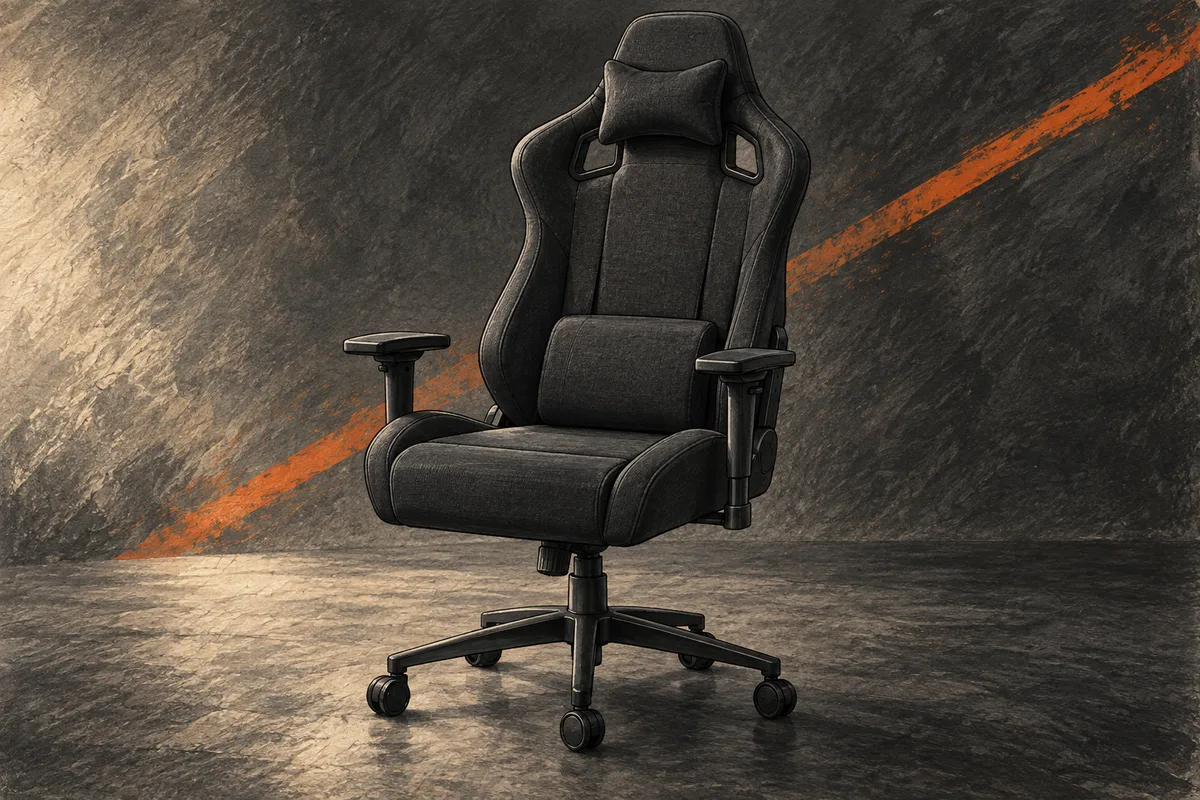
A cheap chair is poor value if you spend each game shifting away from a hard edge. Start with the seat, then the back, then the arms. The racing-seat shape can wait.
The best budget gaming chairs make sensible cuts. They may have plain armrests or fewer recline controls. Affordable gaming chairs should still fit your body, reach your desk, and come from a seller you can contact if a part fails.
I would keep the budget near $200 to $300 before tax and delivery for these picks. The prices below are US listings viewed on September 24, 2026. Check the exact fabric, color, and seller before paying. A different version can have a different price.
Best budget gaming chairs at a glance
| Chair | Who I would choose it for |
|---|---|
| Corsair TC100 Relaxed fabric, listed at $219.99 | A player who wants a movable lumbar pillow and a lower starting seat height |
| Razer Iskur V2 X fabric, listed at $299.99 | Someone who likes a fixed lower-back curve and a broad seat |
| IKEA MATCHSPEL Bomstad black, listed at $299.99 | Someone who wants a mesh back and can try the chair in a store |
All three have limits. None has the full range of seat-depth and back adjustments found on some office chairs. If one setting is essential to you, do not assume a gaming chair includes it.
1. Corsair TC100 Relaxed: my first budget pick
The TC100 Relaxed is the one I would check first. The fabric version has a calm look, and its lumbar pillow can move to suit where you want support. That gives you more freedom than a fixed bulge built into the back.
Corsair lists a seat height from 45 to 55 cm, or about 17.7 to 21.7 inches. That lower starting point is useful to compare with your current chair. It still does not guarantee a fit for a shorter player. Your leg length matters more than your total height.
The TC100 has a 54 cm seat base, but Corsair also lists just 36 cm between the side bolsters. This is the number I would focus on. A wide seat on a spec sheet is not the same as a wide flat space for your legs.
Corsair rates this gaming chair for up to 264 pounds, or 120 kg. It has a steel frame and PU foam under the fabric. The maker lists a foam density of 30 kg per cubic meter. That tells you the material's density, but it cannot tell you how soft the seat will feel to you.
Why it makes the list
At the listed $219.99, the TC100 leaves room in a $300 budget for delivery or a simple footrest if you need one. The cloth cover may also suit a warm room better than a shiny faux leather finish. It will still need care if you eat or drink at the desk.
The separate neck pillow is easy to leave off if it pushes your head forward. I like that choice. An extra cushion should earn its place, not stay on just because it came in the box.
The back reclines from 90 to 160 degrees. That is enough range to change position when you pause a game. It does not mean you should lean far back with your feet on the desk or use the chair as a bed.
The armrest catch
Corsair calls the arms 2D. They move up and down, and the mounting position can be adjusted inward or outward. The second change is not the same as a pad that slides sideways while you sit.
An owner discussion about the TC100 armrests makes that distinction clear. Owners describe moving the mounts under the seat. Read the assembly guide before deciding that a control is missing.
That is a fair cut at this price, but it matters if two people share the chair. You will not want to reach for tools each time you swap seats. It also matters if you pull the armrests in for mouse play, then move them out for a controller.
Who should pass
Skip the TC100 Relaxed if raised seat edges already bother your thighs. The word Relaxed does not turn a shaped seat into a flat bench. Measure the usable middle of your current chair before you buy.
I would also pass if you need full seat-depth adjustment. Moving the lumbar pillow is useful, but it does not shorten the seat. If the front edge reaches the backs of your knees, a different chair shape makes more sense.
The TC100 is my best budget gaming chair for its mix of price and basic controls. That verdict depends on fit. A more expensive chair that fits is better value than a cheap chair that sits unused.
2. Razer Iskur V2 X: for a fixed back curve
The Razer Iskur V2 X takes a different route. Its lumbar support is part of the backrest. There is no loose lower-back pillow to slip out of place.
That can be neat and simple. It can also be a deal breaker. If the built-in curve presses at the wrong point, you cannot move it up or down like a pillow.
This pick is the original fabric Iskur V2 X. Check those words in the listing. A newer finish, special design, or bundle may cost more and may not match the chair described here.
The useful features
Razer lists 2D armrests that change height and turn inward or outward. That rotation may help you place your forearms when you switch between a keyboard and a controller. It still offers less freedom than arms with several sliding directions.
The back reclines to 152 degrees. The seat has lower side edges than a deep bucket shape. I would look at it if you dislike the feeling of being held in one narrow spot.
The contoured seat uses high-density foam. Razer describes the cover as breathable, multi-layered fabric. Airflow is useful for long gaming sessions in a warm room, though the padded seat will still feel different from mesh. This gaming chair does not include a head cushion. Budget for that only if a trial shows you want one.
Razer lists a maximum load of 136 kg, about 299 pounds, and a suggested user height of 160 to 190 cm. Those are screening figures. They are not proof that every person in that range will find a comfortable seating position.
At $299.99, it uses nearly the full budget before delivery and tax. I would pay the extra over the Corsair only if the seat and fixed back curve suit me better. The logo alone is not a reason to spend more.
Fixed lumbar support needs a real fit check
Sit back with your feet supported and your shoulders at ease. The curve should meet your lower back without making you brace against it. If you have to slide forward to escape it, the chair is not a good match.
A soft cushion placed on top may change the feel, but it also moves you closer to the seat edge. I would not buy a chair that needs a stack of pillows before it feels usable.
There is no prize for getting used to a chair you dislike. Try it in a store when you can. If you cannot, read the return terms before you assemble it.
Who should pass
Choose another gaming chair if adjustable lumbar support is a must. A built-in arch and an adjustable lumbar system are different things, even when both listings use the word ergonomic.
I would also skip this model if you need the seat pan to slide. The broad seat may give you room side to side, but that does not solve a seat that is too long for your legs.
The Iskur V2 X makes sense for someone who wants a tidy fabric chair with fewer loose cushions. It is a fit-led upgrade over the TC100, not an automatic step up for every body.
3. IKEA MATCHSPEL: try the mesh back in person
The IKEA MATCHSPEL looks closer to a task chair than a racing seat. It has a mesh back, a padded seat, and a separate adjustable headrest. That makes it worth trying if full upholstery feels too enclosed.
The US Bomstad black listing was $299.99 and marked Last chance. Check local stock before making a trip. I would not pay a resale premium for a budget gaming chair just because a color is being phased out.
The dimensions to check
IKEA lists a seat width of 21 1/4 inches and depth of 18 7/8 inches. The height range is 18 1/2 to 23 1/4 inches. That starting height is quite different from the Corsair's.
If your feet already hang from a low chair, MATCHSPEL deserves a careful trial. A headrest that feels good does not make up for a seat that starts too high.
IKEA lists this version as tested for 276 pounds. Keep that limit separate from older reviews and listings in other countries. Product details can vary, so use the current US page for the exact chair you order.
A mesh back is a choice, not a promise
Mesh leaves more of your back open to room air. The padded seat still has a coated surface, so this is not an all-mesh chair. If heat is your main concern, check the seat as well as the back.
The headrest can be moved to suit where it meets your head. Do not set it so low that it pushes your neck forward. Try the chair both with your hands on a keyboard and with a controller in your lap.
Owner accounts of the MATCHSPEL show why a short store sit helps. Some users like the value and back support, while others dislike parts of the feel. These are personal reports, not a promise about long-term comfort.
Who should pass
Skip MATCHSPEL if the seat is too deep or high for you. Its office-chair look does not remove those limits. Also check that the armrests can get low enough to pass under your desk.
I would choose it over a padded racing-style chair only after trying the mesh and headrest. At about $300, it is no longer a tiny-budget buy. The chance to sit in it before paying is a large part of its appeal.
Gaming chair or office chair?
The label tells you less than the controls. Some gaming chairs put money into a tall back and bold trim. Some office chairs put more into a sliding seat and an adjustable back. Neither group is always better.
If you spend most of the day typing, a plain task chair may deserve the first look. If you switch to a controller and like a reclining back, a gaming chair may suit the way you use the room.
Used office chairs can be a good route when a local seller lets you inspect them. Check the lift, wheels, arm pads, seat foam, and back before paying. Add the cost of any missing part to the asking price.
Do not buy a used chair on a brand name alone. A worn seat or a sinking lift can make a once costly office seat poor value. Good photos cannot show every creak or wobble.
I would choose a clean, sound chair with the right dimensions over a new model with a footrest, lights, and a long list of vague comfort claims. The basics still do most of the work.
Gaming chair ergonomics: four measurements before you order
Ergonomics means making the setup fit the person using it. An ergonomic gaming chair needs more than a curved back and a soft seat. You should be able to reach the controls, rest your feet, and use the desk without lifting your shoulders. The same checks apply to affordable gaming chairs and costly office chairs.
1. Seat height
Sit in a chair that feels about right. Measure from the floor to the top of the seat while it is under your weight. That gives you a useful starting point for the new chair's range.
The lowest setting matters as much as the highest. A chair that only goes higher cannot solve dangling feet. The thickness of your shoes can also change the fit.
Your desk is part of this check. If the desk is too high, you may raise the seat to reach it and then need foot support. Do not judge the chair with the desk left out.
2. Seat depth
Sit with your back supported. The seat should hold your thighs without pressing its front edge into the backs of your knees. You need some room there to change position.
A long seat may feel roomy for a minute, then force you to sit forward. That leaves the backrest behind you. A shorter seat can be the better choice even if the chair looks smaller.
None of the three picks here should be treated as a substitute for a chair with a sliding seat if you need that feature. Seat-depth adjustment is worth paying for when fixed seats do not fit.
3. Usable seat width
Measure the flat space between raised edges. Do not rely only on the total seat width. Thick bolsters can take up much of the number shown in a listing.
Think about how you sit while playing games. If you shift one leg to the side, a hard edge may get in the way. A wide seat with lower edges can leave more room to move.
Check armrest spacing too. The seat may be broad enough while the arms sit too close. Or the arms may be too far apart to use without spreading your elbows.
4. Armrest and desk clearance
Measure the space under the desk, including any drawer or support rail. Compare it with the armrests at their lowest setting. A small clash can keep you too far from the keyboard.
Do not solve that by reaching forward all night. Lower the arms if possible, change the desk height, or choose a chair that fits under it.
The OSHA workstation checklist is a useful way to check the whole setup. It covers seat fit, back support, foot support, and reach. Use it as a practical check, not a promise that one chair will solve every comfort issue.
Adjustable lumbar support: what the labels mean
A lumbar pillow is a separate cushion. You can usually move it, remove it, or try a different thickness. The downside is that it may shift when you stand up or change position.
Built-in lumbar support is a shaped part of the back. It stays in place. That is useful only if it meets you in a good spot.
Adjustable lumbar support lets you change the support itself, such as its height or depth. Read which change is possible. The word adjustable may refer only to the chair's overall height.
For the three picks here, the Corsair uses a pillow, the Razer uses a fixed arch, and the IKEA uses the shape of its back. I would not describe all three as having the same kind of back adjustment.
For long gaming sessions, lumbar support should help you rest against the backrest without forcing one pose. If the support feels right only when you hold yourself stiffly, change its position or try another seat. Adjustable lumbar support is useful because bodies differ, not because the most settings always make the best gaming chair.
A thick cushion is not always more comfortable. Too much support in the wrong place can make you sit around it. Start with a small change and judge how the whole seat feels.
Upholstery materials: fabric, faux leather, and mesh
Fabric can feel less slick and may be pleasant in a warm room. It can also hold crumbs, dust, pet hair, and spills. A dark fabric hides some marks, but it still needs cleaning.
Faux leather is easier to wipe after a small spill. Its surface may feel warm against bare skin, and wear can show as cracking or peeling over time. The term PU leather does not tell you how well a cover will last.
Mesh allows air through the back. Check the edge of the frame as well as the mesh itself. A soft center does not help if a hard frame presses where you lean.
I would choose the cover for the room and the way you use it. A bright room, a pet, or a desk that doubles as a lunch spot can change that choice. Follow the maker's cleaning guide; harsh cleaners can damage a cover.
Adjustable armrests: 2D and 4D explained
Armrest names can hide a useful detail. The number usually describes directions of adjustment. It does not show the range, the pad size, or whether the control stays firm under your arms.
On the Corsair TC100 Relaxed, height is easy to change, while width comes from the mounting position. On the Razer Iskur V2 X, height and inward or outward rotation make up its 2D armrests. Two chairs with the same label can solve different problems.
More expensive gaming chairs may advertise 4D armrests. Those can add pad movements such as sliding forward or sideways, but check the exact controls. A pad with four kinds of movement can still sit too high for your desk.
For mouse play, I want my forearm to reach the desk without a raised shoulder. For a controller, I may want the arm pads closer to my body. If a chair will serve both jobs, try both positions before judging its adjustability.
Wobble is a separate issue. Some play in a moving pad is different from a loose mount. Check the assembly guide and contact support if you cannot tell which one you have. Do not tighten every screw harder in the hope that it will fix a moving part.
Reclining computer chair controls: recline, tilt, and swivel
Recline changes the angle between the seat and backrest. Tilt changes how the seat or chair rocks relative to the base. Swivel turns the chair around. A listing that promises a deep recline does not tell you how well the tilt works.
The Corsair's 160-degree maximum recline and the Razer's 152-degree limit are easy to compare. The more useful question is which upright and modestly reclined positions feel stable. Most desk play does not happen near the maximum angle.
The TC100 also lists a 0 to 10 degree tilt range. Its tilt lock is separate from the backrest recline, and Corsair does not list a lock for every tilt angle. Check both levers during a trial. A gaming chair can have a deep backrest recline and still offer only simple rocking controls.
A tilt-tension control, when present, changes the force needed to rock back. Follow the maker's guide for its direction and range. Do not assume every knob sets the same thing or that a tight knob means a lock is engaged.
I would check reclining clearance before buying for a small bedroom or home office. The backrest needs room behind the seat. Leave space for a wall, shelf, or bed edge, as well as the floor area used by the base.
During a store trial, check how you return upright. The controls should be within reach, and the movement should feel predictable. A dramatic recline is a poor trade if the ordinary sitting position feels wrong.
Foam, padding, and the first sit
A plush seat can feel inviting in a store. That does not settle comfort over several hours. If the foam gives way until you feel a hard surface below it, the soft first impression is less useful.
A firm seat is not automatically better either. Your weight, the seat shape, and the spread of the padding all change the feel. I would compare how supported I feel while typing, using a mouse, and leaning back with a controller.
Pay attention to the front edge. A sharp change in the foam or a stiff seam can be easy to miss when you first sit down. Shift your legs through the positions you normally use and check whether an edge presses into them.
The same check applies to a lumbar pillow. A thick pillow uses some of the seat depth and changes where your hips sit. More padding does not always mean more room or better support.
No brief trial can prove a chair's long-term durability. It can still reveal a poor fit. Keep those two judgments separate: comfort today and construction that may hold up over time.
Which extras are worth paying for?
Useful adjustments beat extra gadgets. I would put the budget into seat fit, a sound base, arms that reach the right place, and clear support terms.
A built-in footrest can be nice for a short break. It does not replace a stable foot support while you sit upright at a desk. Check how it folds away and whether it changes how close you can sit.
Flip-up armrests
Flip-up armrests help a chair tuck under a desk. They may offer fewer ways to support your arms during play. If space is tight, that can be a fair trade. None of these three picks should be bought on the assumption that its arms fold away. Check the exact gaming chair, not a photo of a similar model.
A massage function on a very cheap chair should not drive the purchase. A small vibrating pad does not tell you anything about seat foam, build quality, or fit.
Pocket spring cushion or plain foam?
A pocket spring cushion is not a cure for every hard seat. Springs are one design choice. The foam above them, the seat depth, and your weight still matter. I would choose a well-fitting foam seat over a spring design that presses behind my knees. The best budget gaming chairs do not need every feature listed on a shopping page.
Adjustable headrest or neck pillow?
The MATCHSPEL has an adjustable headrest. The TC100 uses a separate neck pillow, while the Iskur V2 X has no head cushion in the box. These give you three different ways to think about neck support.
Start upright with the backrest supporting you. Move the headrest or neck pillow so you can look straight ahead with ease. If it pushes your chin down, it is not helping in that position. A pillow that feels pleasant during a reclined break may get in the way at the keyboard.
I would check neck support after seat height and lumbar support. Changing either of those moves your head in relation to the backrest. Do not choose a gaming chair for its head cushion and hope the rest will fit later.
Weight limits for these budget gaming chairs
| Gaming chair | Maker's listed limit for this version |
|---|---|
| Corsair TC100 Relaxed fabric | 264 pounds / 120 kg |
| Razer Iskur V2 X fabric | 299 pounds / 136 kg |
| IKEA MATCHSPEL Bomstad black, US | Tested for 276 pounds |
These figures are limits, not comfort scores. The Razer's higher figure does not show that its seat will fit every larger player. Check usable seat width, arm spacing, and depth as well. If you exceed a listed limit, choose a gaming chair rated for your weight instead of treating the limit as a loose guide.
Buying a budget chair without a costly mistake
Read the return terms before assembly. Find out whether an opened chair can go back, who pays the return shipping, and whether the seller needs the original box. A bulky return can erase the saving from a sale.
Keep the carton until you know the chair fits. Photograph any damage before you start. Lay out the parts and follow the instructions in order, using the tools and fasteners specified by the maker.
Do not use the armrests as a ladder or a handle for lifting your full weight. Keep the chair on a suitable floor and use all five wheels. If a part cracks, the lift sinks, or the chair becomes unstable, stop using it and contact the seller.
Check the warranty's scope. A long headline period may cover some parts and exclude normal wear on the cover. The seller, country, and proof of purchase can also affect a claim.
I would not stretch the budget for a discount badge. Compare the final price with the same fabric and model at another trusted seller. A bundle may add a cushion you do not need while making the saving look larger.
Warranty and spare parts can change the real price
Before paying, find the warranty terms for your country and seller. Check the period, the parts covered, and the steps for a claim. A warranty on the frame is not the same as a promise to replace worn upholstery.
Corsair lists a two-year warranty for the TC100 Relaxed. Razer lists three years for the Iskur V2 X's mechanisms and moving parts, with normal wear excluded. Any offer to extend that cover has its own terms. Do not count an extra period until you know your order qualifies.
Look for a way to buy the parts most likely to need attention: arm pads, wheels, and the correct lift. Do not assume that a generic replacement suits the chair just because the parts look alike. Ask the maker for the right part number.
Keep the order receipt and the chair's model details somewhere you can find them. For a warranty claim, clear photos of a fault may save several rounds of email. Follow the support team's instructions before taking the chair apart.
This is one reason I prefer a budget gaming chair from a seller with clear contact details. A very low price is less useful if no one can identify a broken part. The best deal includes a practical way to get help.
If two chairs fit equally well, I would pay a little more for clearer return and repair terms. That is a personal value choice, not a claim that the higher price guarantees a longer life.
A store trial you can do in ten minutes
Bring your desk measurements and wear the shoes you use at home. Set the seat height first. Then adjust the backrest and armrests. Ask for help with a control you do not recognize; guessing can make a useful feature seem absent.
Spend part of the trial sitting upright with your hands in a typing position. Then use the pose you take with a controller. Check the width between the arms, the space behind your knees, and the headrest if there is one.
Stand up and sit down a few times. Notice whether the lumbar pillow shifts, whether the chair rolls when you do not expect it, and whether the arm pads catch your desk position. Check that the back feels supportive without forcing you into one stiff pose.
Try your second choice straight after the first. A direct comparison can make a small difference in seat depth or back shape easier to feel. Take a note of the exact model and finish so the chair you order matches the one you liked.
If none feels comfortable, leave without buying. Gaming chairs come in many shapes, and a plain office chair may be a better match. The goal is a seat you can use well, not a badge that matches the PC case.
Leave room for the rest of your setup
A comfortable gaming chair should help you use what you already own. It should not force you to buy a new desk to make the arms fit.
If you are starting from scratch, divide the money before shopping. Our gaming laptop guide helps set the computer budget. Our Zowie U2-DW review explains why mouse fit deserves the same care as chair fit.
Make small changes once the chair arrives. Set the seat height first, then the back, then the arms. Pull the keyboard and mouse close enough to use with relaxed shoulders. Check the fit again after a break.
Common questions about budget gaming chairs
Are budget gaming chairs worth it?
Yes, when the seat fits and the basic parts are sound. A low price alone is not enough. The best budget gaming chairs offer useful controls without forcing you to pay for trim or gadgets you do not need.
Is a $100 gaming chair a good deal?
It can be, but I would compare it with a plain task chair or a sound used office chair. At a very low price, weak return terms can cost more than the chair's fancy features are worth.
What is the best gaming chair for a short person?
Start with minimum seat height and depth. Of these picks, the Corsair starts lower on paper. That does not make it a sure fit. Check whether your feet are supported and whether you can sit against the back without the seat edge pressing behind your knees.
What should a tall player check?
Look at seat depth, back height, headrest position, and the highest seat setting. Maximum weight and height are separate limits. A chair can hold your weight and still feel too short.
Can a gaming chair replace an office chair?
It can if it fits your desk work as well as your games. Test the upright position first. A deep recline matters less if you spend most of your time typing. A task chair with better adjustments may be the better buy.
Which pick would I buy first?
I would start with the fabric TC100 Relaxed, then check the usable seat width and return terms. If the side edges feel too close, I would try the Iskur V2 X or MATCHSPEL in person. The best gaming chair is the one that fits your body and desk within your budget.